
Effective visitor tracking is essential for any website aiming to enhance its user engagement and grow its audience. For WordPress users, integrating Google Analytics provides a comprehensive solution to monitor site traffic and generate valuable insights. This guide details the steps to set up Google Analytics 4 (GA4) on a WordPress site and utilize its reporting features for improved website performance.
Setting Up Google Analytics on WordPress
To begin tracking visitors, the first step is to create a Google Analytics account if one does not already exist. Users can visit the Google Analytics website and sign up for a new account. Once registered, select “GA4” as the property type to ensure access to the latest features. Google provides a unique measurement ID that is essential for tracking.
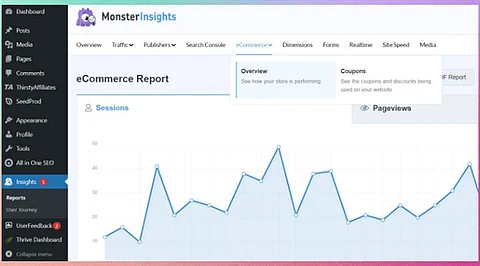
Integrating this measurement ID into WordPress can be accomplished in several ways. One common method is through the use of plugins such as “MonsterInsights” or “Site Kit by Google.” These plugins simplify the process by allowing users to enter their measurement ID directly into the plugin settings without needing to modify any code manually.
Configuring GA4 Reports for Enhanced Insights
Once Google Analytics is set up, users can start customizing their reports. The GA4 interface offers various options to track user interactions, including page views, session durations, and user demographics. To gain deeper insights, users can create specific events to monitor actions such as downloads, form submissions, or video views.
Setting up conversions is another crucial aspect. By identifying key user actions that align with business goals, such as completing a purchase or signing up for a newsletter, users can track these conversions within GA4. Google provides detailed guides on how to set these up, ensuring that all relevant interactions are recorded.
Utilizing the reporting features effectively allows website owners to analyze trends in visitor behavior. Over time, data collected can inform decisions regarding content strategy, advertising, and overall user experience.
Maximizing Traffic Monitoring for Growth
With the right setup in place, WordPress users can leverage the power of analytics tracking to facilitate smarter growth strategies. Regularly reviewing traffic reports enables users to identify which content resonates most with visitors. This insight can inform future content creation and marketing efforts.
In addition, monitoring traffic sources helps in understanding where visitors are coming from. Whether through search engines, social media, or referral sites, this information is vital for optimizing marketing strategies. For instance, if a significant portion of traffic originates from social media, users might focus on enhancing their presence on those platforms.
Lastly, leveraging GA4’s predictive metrics can provide foresight into potential user behavior. This feature allows website owners to anticipate future trends and adapt their strategies accordingly, staying ahead in a competitive digital landscape.
By implementing these steps and utilizing the capabilities of Google Analytics, WordPress users can significantly enhance their website’s performance. Tracking visitors not only provides insights into user behavior but also aids in making informed decisions that drive growth and engagement.