
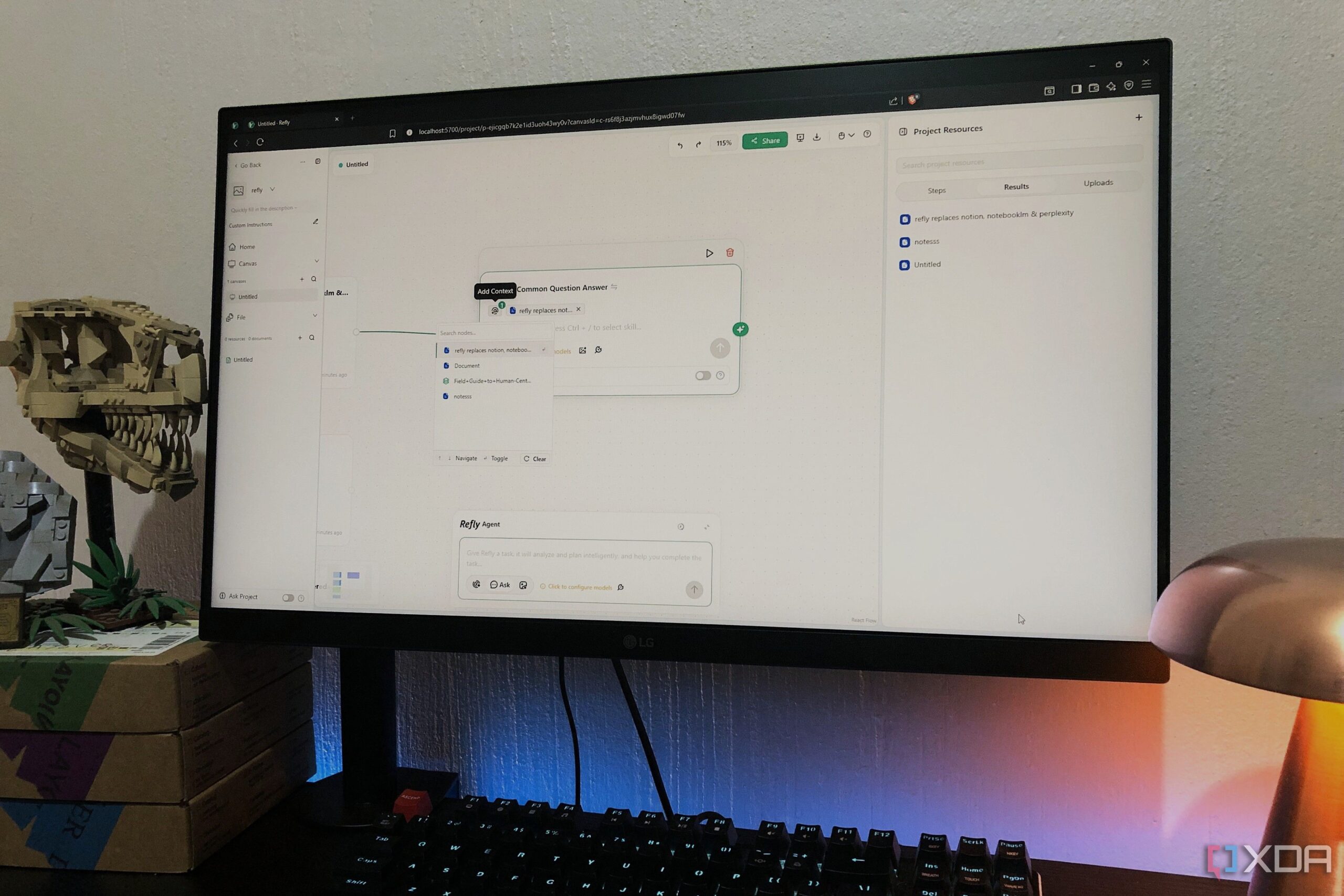
Refly has emerged as a new contender in the productivity app space, claiming to integrate features from applications such as Notion, NotebookLM, and Perplexity into a single platform. Designed as an open-source, AI-native content creation tool, Refly aims to streamline workflows by offering a flexible canvas that combines note-taking, document management, and research capabilities within one interface.
What sets Refly apart from its competitors is its unique multithreaded dialogue interface. Unlike traditional productivity tools that typically follow a linear conversation model, Refly allows users to manage multiple conversation threads simultaneously. This functionality means users can conduct research in one thread, draft documents in another, and extract insights without losing context. Users can engage with various nodes, which represent distinct conversation threads, allowing for a more dynamic interaction with their content.
Refly supports mixed imports, enabling users to bring in PDFs, documents, links, and images. The platform intelligently indexes and retrieves relevant content, enhancing the efficiency of information gathering. A document-style editor is integrated within this environment, providing an editable workspace that goes beyond mere summaries, creating actionable structures from the collected knowledge.
Setting Up Refly and Initial Impressions
After signing up for Refly, users are directed to join a Discord community to obtain an access code, which can take over a day to receive. Once the code is acquired, users may find themselves in a workflow automation space, rather than the expected canvas feature. To access the full capabilities of Refly, including the canvas, users may need to self-host the application, which can be a learning curve for those unfamiliar with self-hosting procedures.
Upon gaining access to the canvas, users are greeted with customization options and tutorials. The homepage features an AI prompt box, allowing users to dive into their projects immediately. The canvas allows for the addition of nodes where users can upload documents, create notes, and utilize AI features. Although the note-taking capabilities may not rival those of Notion, Refly offers sufficient functionality to replace aspects of a typical Notion workflow.
Users can create memos from notes and documents, automatically populating as nodes on the canvas. Real-time web inserts are also available, allowing users to incorporate scrollable pages directly into their workflows.
AI Features and Functionality
Refly’s standout feature is its AI capabilities, which let users choose from various AI tasks, including web searches, writing assistance, and coding support. This versatility suggests that Refly could potentially replace tools like Perplexity and NotebookLM, though there is a learning curve involved. Users can attach AI commands to each node, enabling multiple threads for a single PDF node to perform different tasks, such as summarizing or polishing content.
Additionally, Refly allows users to export their chats and notes in Markdown or PDF formats, providing flexibility in sharing and utilizing the generated content. The application features a hierarchical folder structure for organizing canvases and workflows, enhancing user experience.
While initial impressions of Refly may be mixed due to the lengthy setup process, users often find the platform’s features impressive once they become accustomed to the interface. Although it may not fully replace specialized tools, Refly effectively combines the strengths of Notion, NotebookLM, and Perplexity, making it a noteworthy option for those seeking an all-in-one productivity solution. As of March 2024, Refly represents an early step towards a comprehensive productivity app that integrates multiple functions into a cohesive user experience.