
Adobe has introduced innovative AI tools in Photoshop that significantly enhance how users blend subjects into new scenes and upscale low-resolution images. The newly launched features, known as Harmonize and Generative Upscale, aim to streamline the editing process, making it easier for photographers and designers to achieve professional results.
The Harmonize tool is designed to help users integrate cut-out subjects into backgrounds seamlessly. This feature automatically adjusts lighting and color to make the subject appear as though it naturally belongs in the new scene. A recent demonstration by Nace showcased the tool’s capabilities. He started with a clean landscape and added a stock portrait, using the Remove Background feature to isolate the subject. Once the subject was masked, Harmonize appeared in the contextual taskbar, allowing for easy access without navigating through multiple panels.
Nace highlighted that each application of Harmonize consumes AI credits and generates three variations at once. This flexibility enables users to refine the integration until the skin tones and ambient colors feel cohesive. One notable feature of Harmonize is its ability to add a shadow behind the subject, saving time compared to manually creating depth.
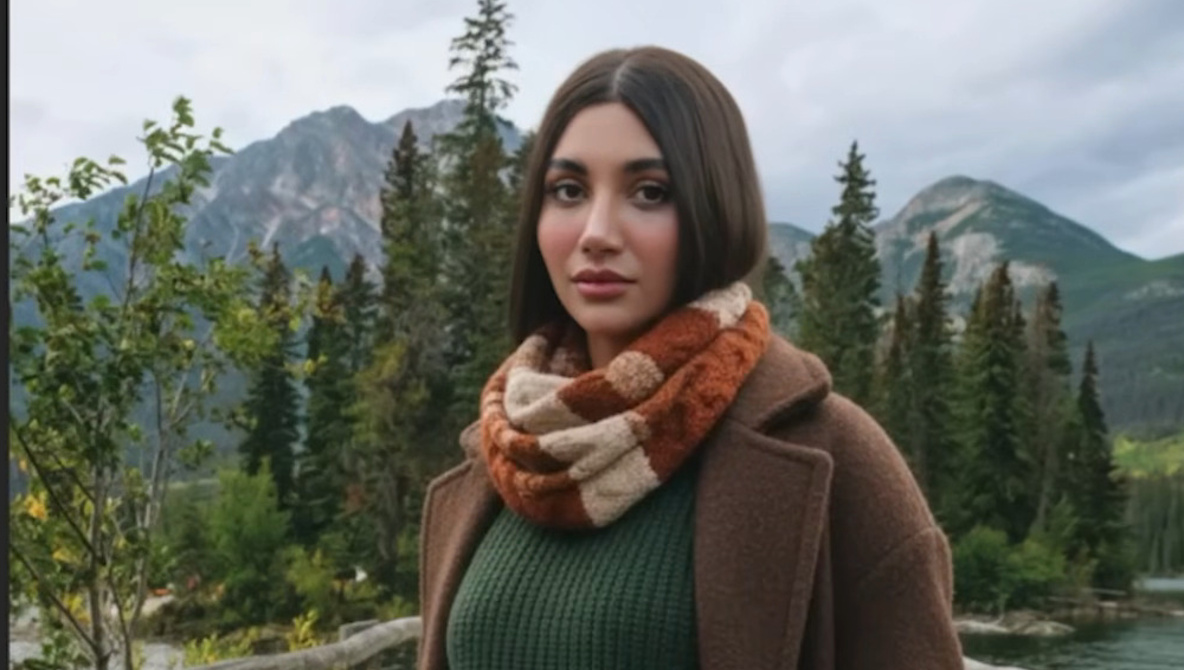
In a more complex example, Nace demonstrated how to edit a subject whose attire clashed with the environment. He inserted a woman dressed in urban clothing into a rural background. After utilizing Harmonize to adjust the lighting, Nace found that the clothing still felt out of place. To resolve this, he employed the Generative Fill tool, selecting the Gemini 2.5 Nano Banana model to change the outfit to seasonal attire suitable for the setting. This tool allowed for a swift and effective fix without the need for a reshoot, showcasing the practical benefits of the new AI features.
The second major tool, Generative Upscale, addresses the limitations of working with small images. Nace explained that users must start with an appropriately sized file, as the tool has a maximum size threshold. During the demonstration, he checked the file size of a 4,000 x 6,000 pixel image. Attempting to upscale this beyond the maximum long edge of 6,144 pixels resulted in a warning. He resized the image to around 1,500 pixels and successfully applied Generative Upscale to achieve a 2x or 4x enlargement, staying within the operational limits.
The outcome is a new layer that allows users to toggle between the AI-enhanced version and a standard resample. This comparison highlights differences in sharpness and texture, particularly in details such as fabric and hair, providing valuable insights for editors aiming for high-quality results.
For a comprehensive overview of these features, viewers can refer to Nace’s full demonstration video. As Adobe continues to innovate, these tools promise to reshape how creatives approach image editing, significantly enhancing workflow efficiency and artistic possibilities.