
UPDATE: Microsoft has officially revolutionized the way users interact with Excel through its new Copilot feature, which is now available with standard Microsoft 365 plans. After a week of hands-on experience, users are reporting dramatic improvements in productivity and efficiency, fundamentally changing how they handle data.
In a world where data management often feels like a battle, Copilot is emerging as a game-changer. Users are experiencing significant time savings and enhanced capabilities, enabling them to generate complex formulas, visualize trends, and access insights that were previously cumbersome or even impossible.
Before integrating Copilot, users faced frustrating hurdles with Excel, spending countless hours wrestling with syntax and complex formulas. For instance, creating a weighted average or setting up Pivot Tables could consume a substantial part of the workday. As one user noted, “Every time I opened a new project, I knew I was about to sink a significant portion of my morning into what I call ‘syntax wrestling.’”
However, with Copilot’s capabilities, the approach to data analysis is shifting rapidly. Users can now simply input natural language commands. For example, they can request, “Highlight the rows where the profit margin is below 10% and calculate the projected impact if we raise prices by 5%.” This seamless interaction has transformed Excel from a mere grid of cells into a responsive digital assistant.
The impact of Copilot is profound. Users are reporting “Aha!” moments when Copilot effortlessly processes thousands of rows of data, standardizing formats and cleaning datasets in seconds. One user tasked Copilot with standardizing a Profile column to follow a “City, State” format, removing special characters, and was amazed to see it executed flawlessly without the need for manual input.
Copilot’s functionality extends to writing complex formulas based on user intent. Users can request specific calculations, such as, “Calculate the 3-month rolling average of sales,” and receive instant results. The AI can also identify trends, outliers, and patterns in datasets that may not be readily apparent.
Productivity gains are clear. Instead of reaching for the formula key, users are treating Copilot like a high-level analyst. For example, one user asked Copilot to add a new column for Commission with a 5% bonus for sales exceeding $50,000, and the AI quickly updated the table with the necessary formula.
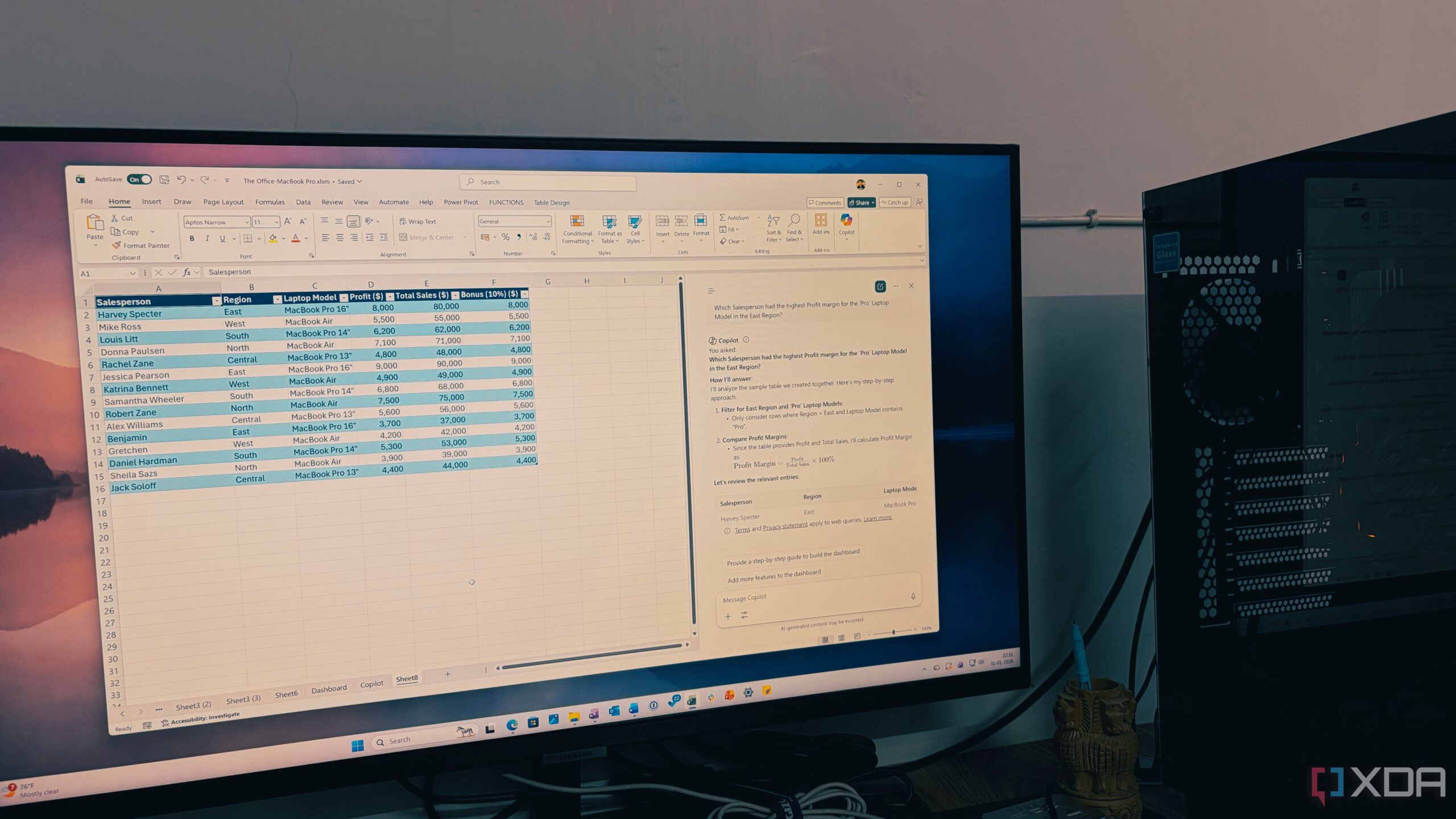
Results come fast. Users can ask questions like, “Which Salesperson had the highest profit margin for the ‘Pro’ laptop model in the East Region?” and receive analyzed data in seconds. Copilot even generates multiple Pivot Tables and charts without the frustration of navigating through complex menus.
While the technology is impressive, users are advised to double-check Copilot’s outputs before presentations. The ability to generate actionable forecasts and Pivot charts through natural language is proving to be a significant productivity boost.
As Microsoft continues to roll out Copilot, the implications for businesses are substantial. The “spreadsheet struggle” may soon become a relic of the past, as Copilot emphasizes that success in data management lies not in memorizing formulas but in asking the right questions.
As organizations worldwide embrace this technology, those still relying on manual data entry and traditional methods may find themselves at a competitive disadvantage. With Microsoft’s Copilot, the future of data analysis is not just promising; it’s here now.
Stay tuned for more updates as users continue to explore the transformative power of Copilot in Excel.